

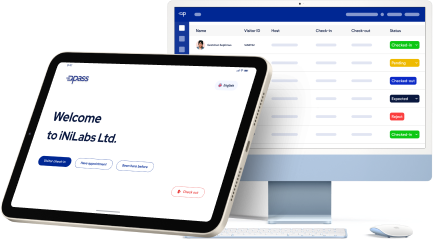
The Smarter Way to Manage Your Visitor.

Want to know more about how the QuickPass can help you?

Streamline Visitor Check-ins with Full Automation

Our system automates the entire visitor experience—from instant pass generation to real-time check-ins. Gain valuable insights from visitor data, and manage both guests and employees seamlessly, all within one integrated platform.

No more standing in line

With QuickPass, you can quickly and easily provide instant visitor check-in/check-out, saving your staff valuable time. No more awkward standing around while visitors write their name on a whiteboard or sign in on paper like they're some kind of yearbook.

No more late arrivals

Too often visitors arrive way past the appointed check-in time, making your staff have to quickly change their shift on duty from reception to security. QuickPass eliminates late arrivals by automatically checking visitors in/out once they arrive at your institution.

Automated visitor data for better insights

You'll never miss out on important visitor information again with QuickPass. Collect valuable data about visitors, such as contact information, demographics, and behavior for better insights about who is visiting your institution.

monitor

Manage all employees within one system

QuickPass makes it easy for managers to have full control over who's on duty.

More Features

Discover powerful features that streamline visitor management with automation

No more standing in line

With QuickPass, you can quickly and easily provide instant visitor check-in/check-out, saving your staff valuable time. No more awkward standing around while visitors write their name on a whiteboard or sign in on paper like they're some kind of yearbook.

No more late arrivals

Too often visitors arrive way past the appointed check-in time, making your staff have to quickly change their shift on duty from reception to security. QuickPass eliminates late arrivals by automatically checking visitors in/out once they arrive at your institution.

Automated visitor data for better insights

You'll never miss out on important visitor information again with QuickPass. Collect valuable data about visitors, such as contact information, demographics, and behavior for better insights about who is visiting your institution.

Manage all employees within one system

QuickPass makes it easy for managers to have full control over who's on duty
Manage Everything

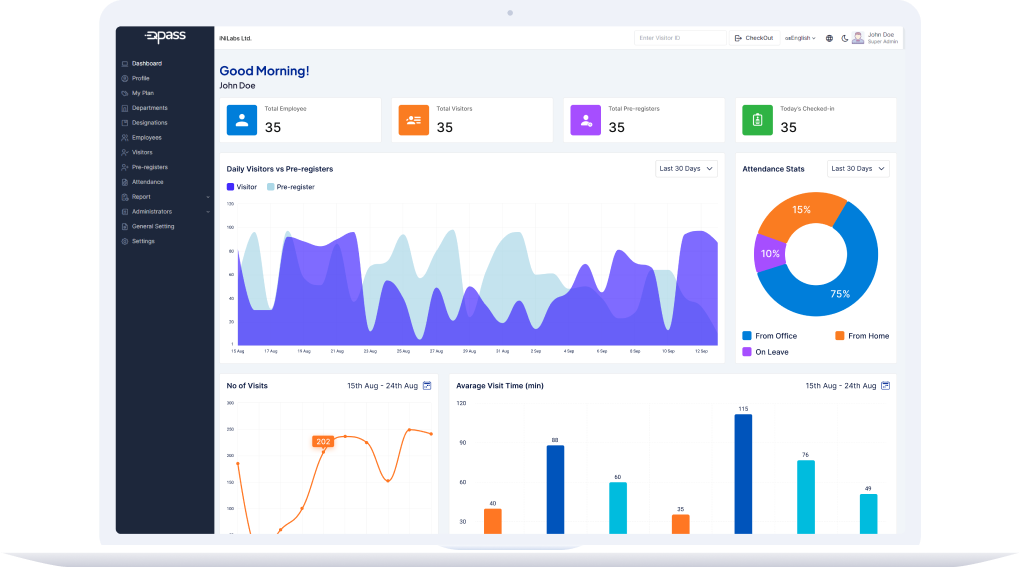
dashboard

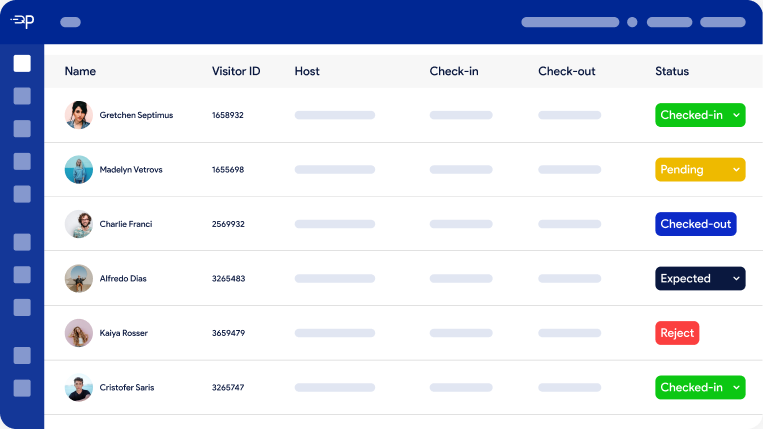
Track Visitors

Through this system it is possible to track visitors, visitor’s host and get reports of visitors.

Track Employees

Through this system it is possible to track employees, attendance and employee’s working report.

Simple to Use

Manage your employees and visitors very easily with QuickPass.

Why Choose SignIn Africa

Experience

The brand-centric and configurable approach enables Veris to birth new experiences for the users.

Efficiency

QuickPass offers a powerful suite of product offerings to raise the overall productivity of the organisation.

Privacy

The workplace security is strengthened by complying with industry-accepted processes and standards.

location

100 +

Locations

building

200+

Enterprise

dribbble

300+

Countries

Pick a Plan That’s Right for You

Our transparent pricing ensures affordability without compromising on premium features and support

Monthly

Yearly

Free Plan

For Free Plan


0.00/month
  • Allow Visitors to Register in Advance.
  • Basic Visitor Registration
  • Photo Capture
  • Instant Host Notifications
  • Multi-Language Support
  • Temporary ID Printing
Subscribe

Basic Plan

For Basic Plan


5.00/month
  • Allow Visitors to Register in Advance.
  • Send Alerts During Emergencies.
  • Contact Management
  • Basic Visitor Registration
  • Photo Capture
  • Instant Host Notifications
  • Multi-Language Support
  • Temporary ID Printing
Subscribe

Pro Plan

For Pro Plan


20.00/month
  • Allow Visitors to Register in Advance.
  • Send Alerts During Emergencies.
  • Contact Management
  • Basic Visitor Registration
  • Photo Capture
  • Instant Host Notifications
  • Multi-Language Support
  • Temporary ID Printing
  • Employee Check-In/Out
Subscribe

Free Plan

For Free Plan


0.00/year
  • Allow Visitors to Register in Advance.
  • Basic Visitor Registration
  • Photo Capture
  • Instant Host Notifications
  • Multi-Language Support
  • Temporary ID Printing
  • Employee Check-In/Out
Subscribe

Frequently Asked Questions

Do you need some help with something or do you have questionson some features ?

Do we rent/lease the hardware or do we purchase?

If you get your hardware through our store, it is for purchase only and not for rent/lease. This gives you control and peace-of-mind. By purchasing your iPad and equipment outright, there’s no need to worry about returning equipment in the future or higher-than-necessary monthly expenses because of rental or lease fees. Rented or leased hardware artificially inflates your monthly price and costs you more over the life of your equipment. As long as you update the iPad’s iOS through the regular software updates and keep your Receptionist app up to date, you’re good to go for years to come.

Do you have a return policy?

We honor a 42-day money-back guarantee on all software and hardware. Watch a short video from our CEO, Andy Alsop, about what that means for you.

Which tablets does The Receptionist for iPad work with? Is Android supported?

We only support iPads at this time. The app will run on any iPad that is able to run iOS 13.0 or higher. Find more information about iPad compatibility on this page. Don’t already have an iPad that you can use? No problem! Our Receptionist in a Box can get you up and running quickly!

What’s the difference between the iPad application and the website?

The iPad is the kiosk your visitors will use to check-in, either by following the prompts on the screen or by initiating our contactless check-in feature. The website is used to manage your account, billing information, employee contacts, and visitor log details. You will also use the website to customize the visual appearance of the iPad application. Things like your logo, welcome message, and the available buttons can be configured there.

Is this meant to replace your receptionist?

No way! In short, we want to be your front desk staff's most valuable asset! We are certain there are other things going on in your office, and being tied to a desk is no one’s favorite responsibility. The Receptionist for iPad gives your Office Manager, Front Desk Person, Welcoming Committee, or “The Person Nearest the Door” freedom to tackle other tasks while we keep your entry area running smoothly.

Is support included?

You know it is! We care about your success, and the best way to do that is to be here when you need us — so much so that we call it Radical Support®. To prove it, we offer free unlimited support (even during your free trial) to answer any questions you have. Plus, the setup process is made even better by the fact that once you become a customer, you get access to an onboarding specialist at no additional cost to help you get up and running.

Does this work in other countries?

Yes, our system works internationally. Since nearly every screen’s text is customizable, you can prompt your users in whichever language or wording you’d like. And we have the ability to let you set up your check-in experience to display in multiple languages. Note that for features using SMS, additional fees or restrictions may apply outside of the United States and Canada.

Which countries do you ship to?

We ship hardware that is purchased through our store to the United States, as well as to Canada (which requires an added shipping fee).

How does your pricing work?

Our pricing is based on contacts displayed per location. A “contact” is defined as a contact or person that visitors can search for, check in to see, and for The Receptionist to notify upon a visitor’s check in at a single location’s configuration, or an employee that uses the employee check-in button. A “location” is defined as a separate building or facility where an employee contact cannot physically be in two locations at the same time, or, where there is a need to run separate configurations of the software. You may run as many iPads on the same configuration in one location as you need to cover traffic flow and entrance needs; however, if you wish to use The Receptionist in two or more locations as they have previously been defined, you will need to purchase a subscription for each location.

Are all features really included at all price tiers?

Yes! We believe every company should have access to the best visitor management technology available, whether you have 1 employee or 10,000+.

Is hardware included?

No, but we do sell hardware packages. Visit our store to learn more. We offer printers, desk stands, floor stands, and wall mounts, as well as Receptionist in a Box packages that ship pre-assembled and ready to roll out of the box.

How does billing work?

Painlessly! When you set up your free trial account, you can select your subscription plan and billing option — either monthly or annually. Your credit card number is only ever sent to our third-party PCI-DSS Level 1 compliant billing partner. At the end of your 14-day free trial, we will request our billing partner to charge the card on file to start your subscription. Need to issue a purchase order for invoice billing? No problem. Get in touch with us at sales@quickpass.com and we can send you a quote that you can supply to your purchasing department. We’ll work with you to get setup in your vendor management system. We’ll even activate your account or ship your product upon receipt of a purchase order.

Do you have non-profit and education discounts?

Yes we do! Please contact us and we can be sure to provide you with discount codes to get 10% off the monthly or annual cost for The Receptionist for iPad software.